2. Target Applications
We have prepared two basic multimodal applications for you, which are a menu and a hotel reservation. You will be optimizing these two multimodal applications using different methods to support as many multimodal interactions as possible for the users. To help you become familiar with these two applications quickly, we have provided their interaction flows and code explanations for you.
Both apps can be ran with the following commands:
npx expo start --web2.1 Menu App
In this section, you will optimize a menu app designed for a restaurant’s ordering service. To help you familiarize yourself with the app quickly, we have provided some screenshots and basic functionality overview according to the interaction flow.
2.1.1 Interaction Flow
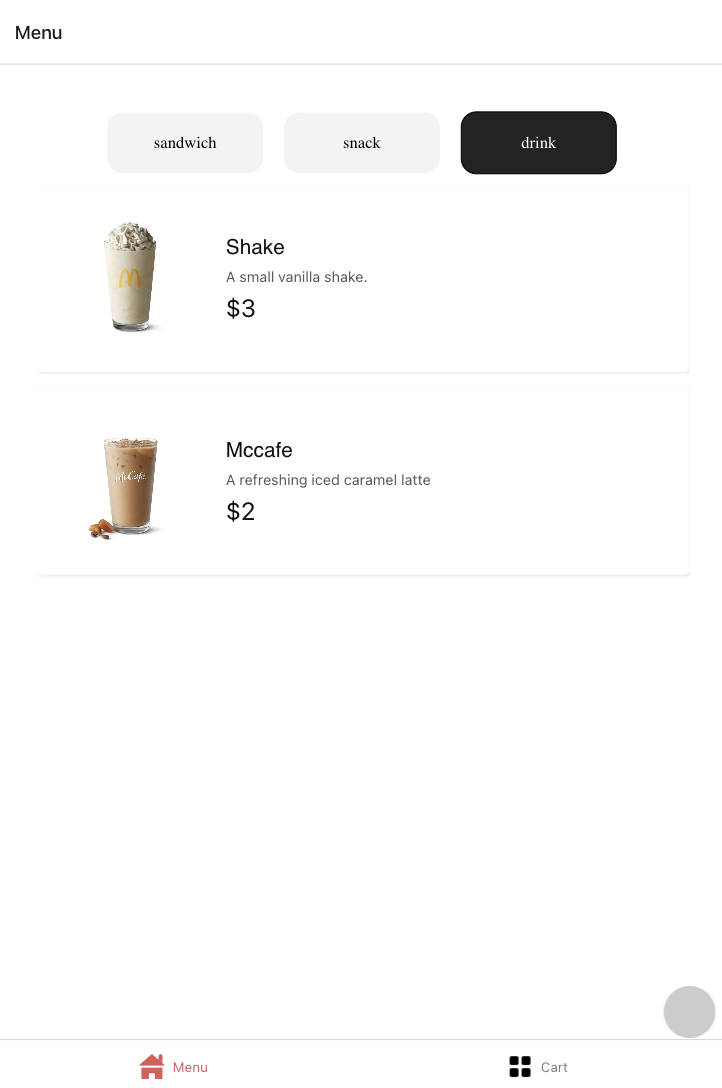
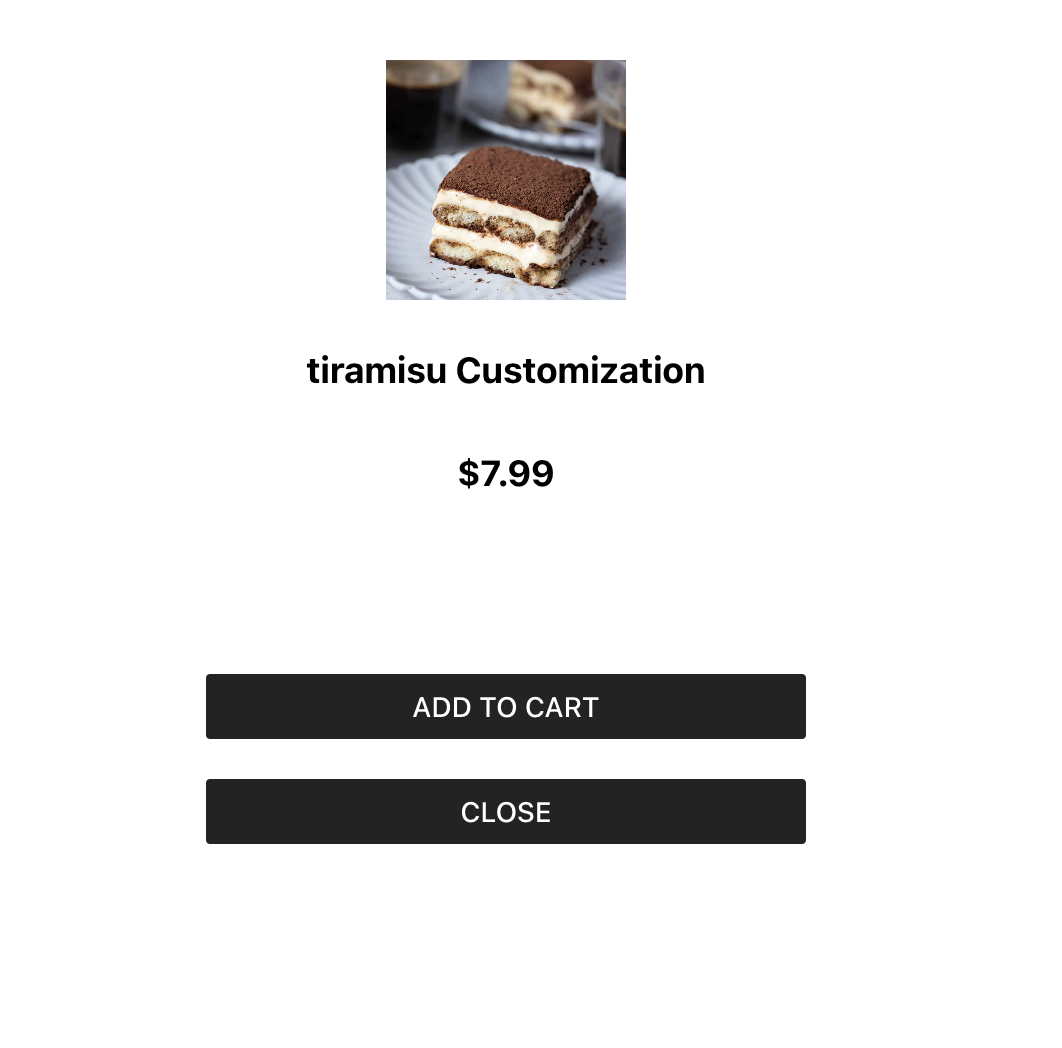
The first page of the menu app displays all the food items categorized by type. When you click on one of the food items, you can add it to your order.
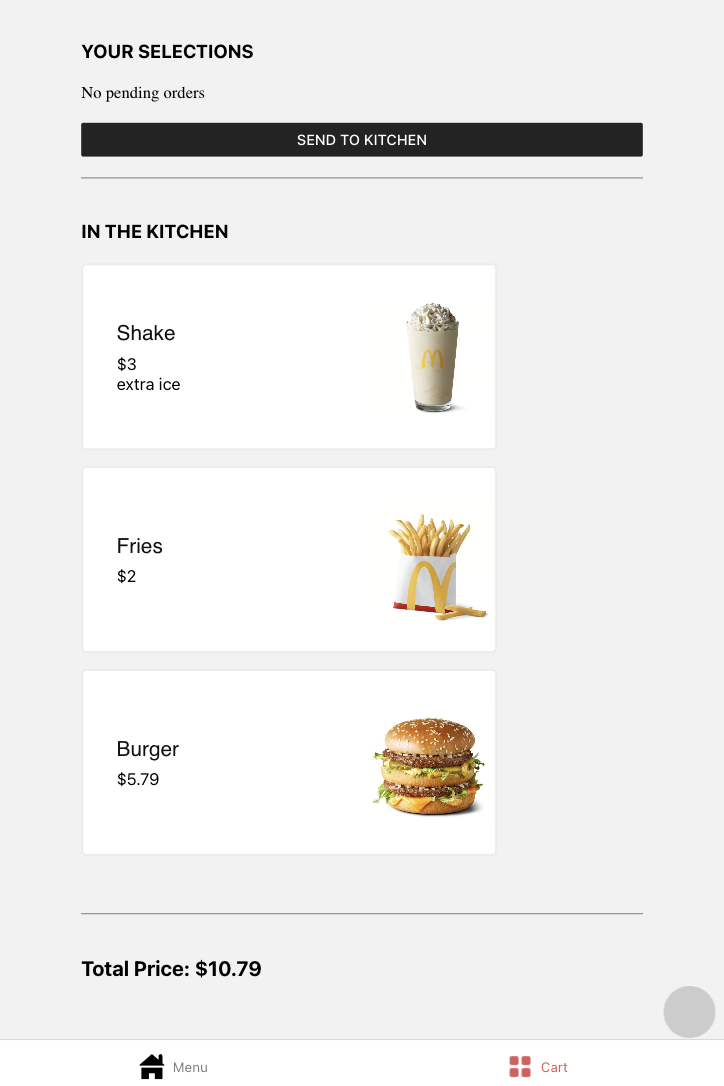
The order page shows all the food items you have currently ordered. The order page is divided into two sections. The first section displays the items in your shopping cart. When you click the "send to kitchen" button, the items in the shopping cart will be placed and sent to the kitchen. The second section displays the placed items and their current status.
You can try to order a food with your own customization and send it to kitchen.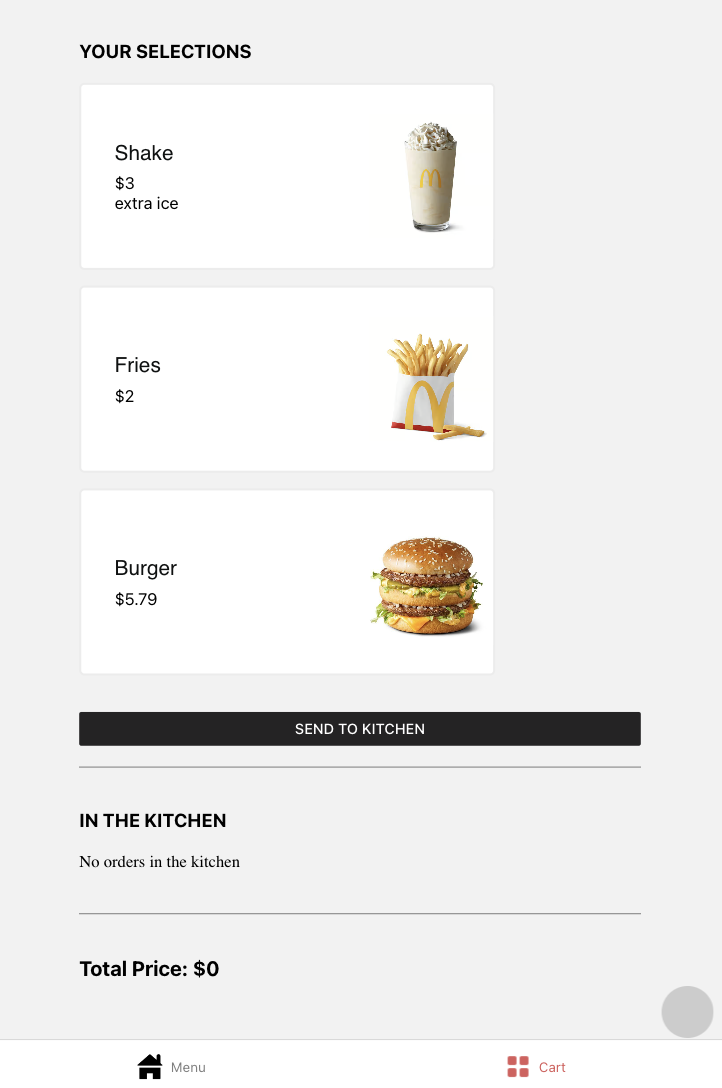
2.1.2 Code
The UI code and state code of menu app are as follows:
- genie
   - //state code
   - Category.ts //DataClass, category of food items
   - FoodItem.ts //DataClass, food item
   - FoodOption.ts //HelperClass, food option for costomization
   - OrderItem.ts //DataClass, order item in cart
   - sampleData.ts //data for building the app
- screens
   - //UI code
   - Menu.tsx
   - Cart.tsx
2.2 HotelBooking App
In this section, you will optimize a hotel booking app. This app allows users to search for hotels, select rooms, and make reservations. Here is an overview of the app’s functionality and some screenshots to help you familiarize yourself with it.
2.2.1 Interaction Flow
The home page of the hotel booking app displays a search form where users can enter their desired destination, check-in and check-out dates, and number of guests. The hotel results will be filtered based on the search criteria. Each hotel listing displays information such as the hotel name, star rating, price per night, and a photo. Users can click on a hotel listing to view more details about the hotel, including room types and prices.
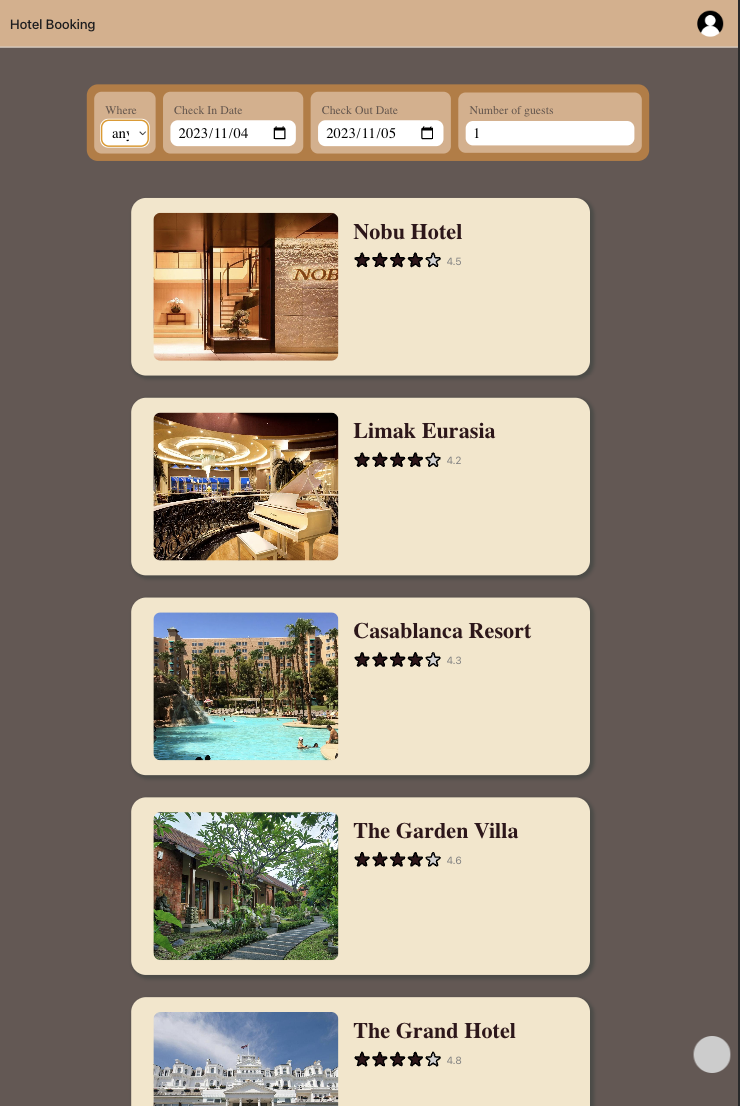
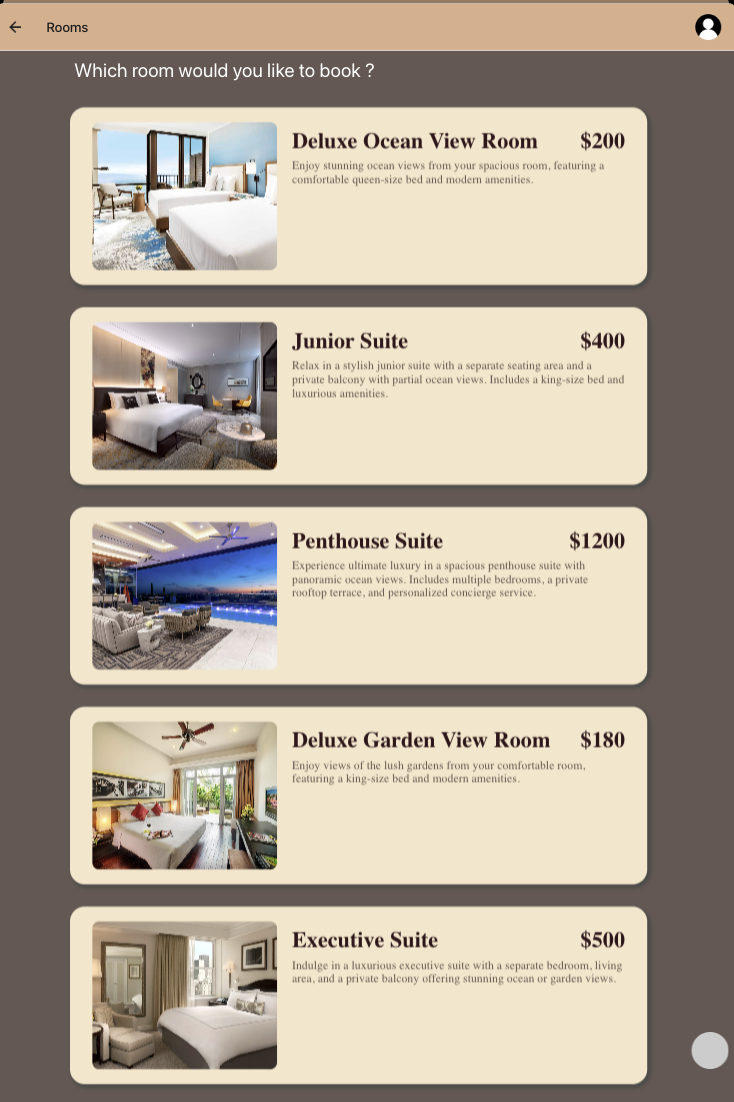
Once users have selected their room(s), they can proceed to the reservation page. This page allows them to chooese their payment method and review the reservation details before confirming the booking. And user will see the conclusion page after the reservation is confirmed.
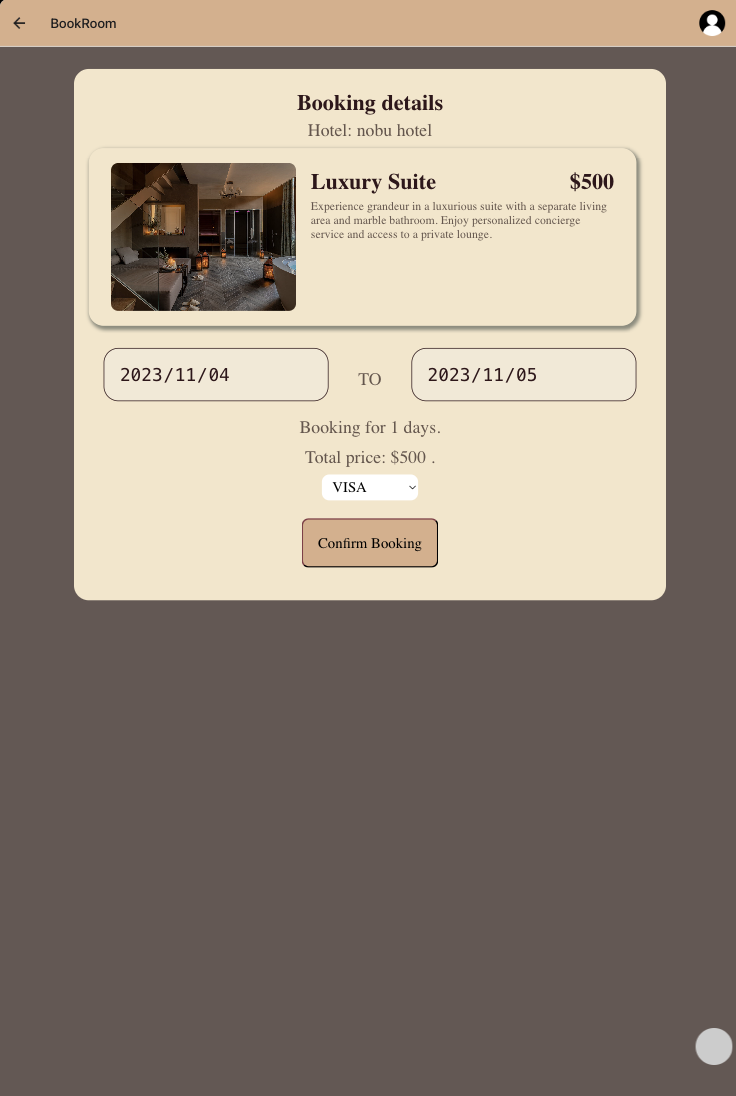
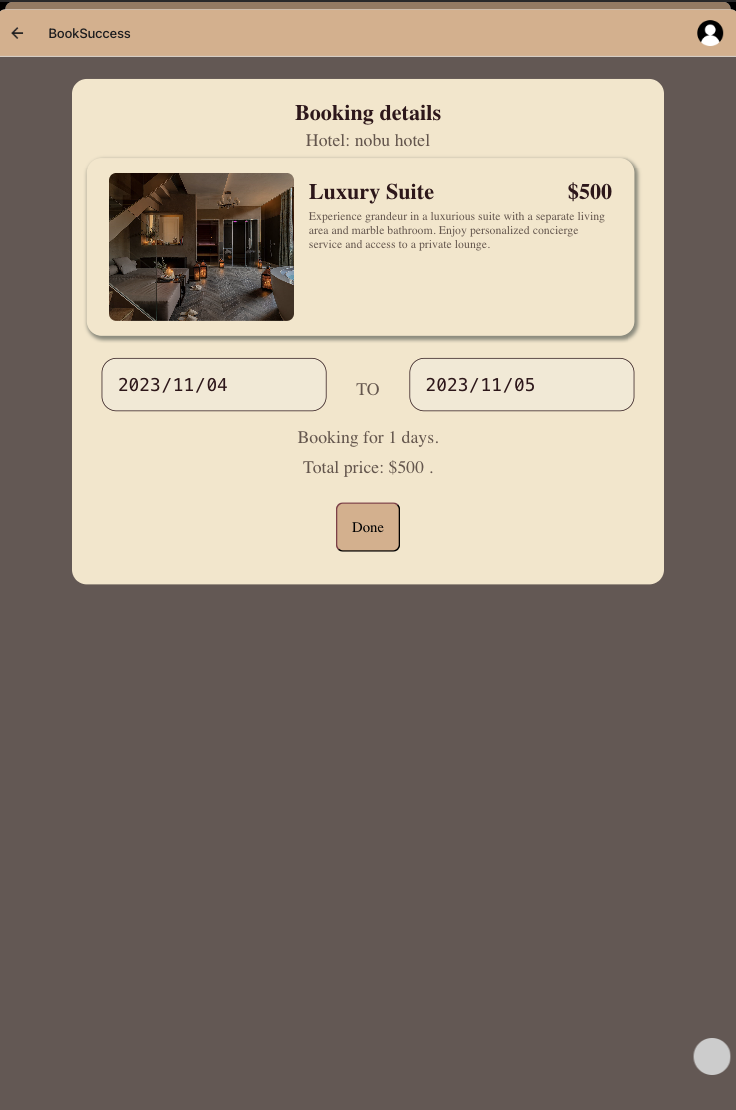
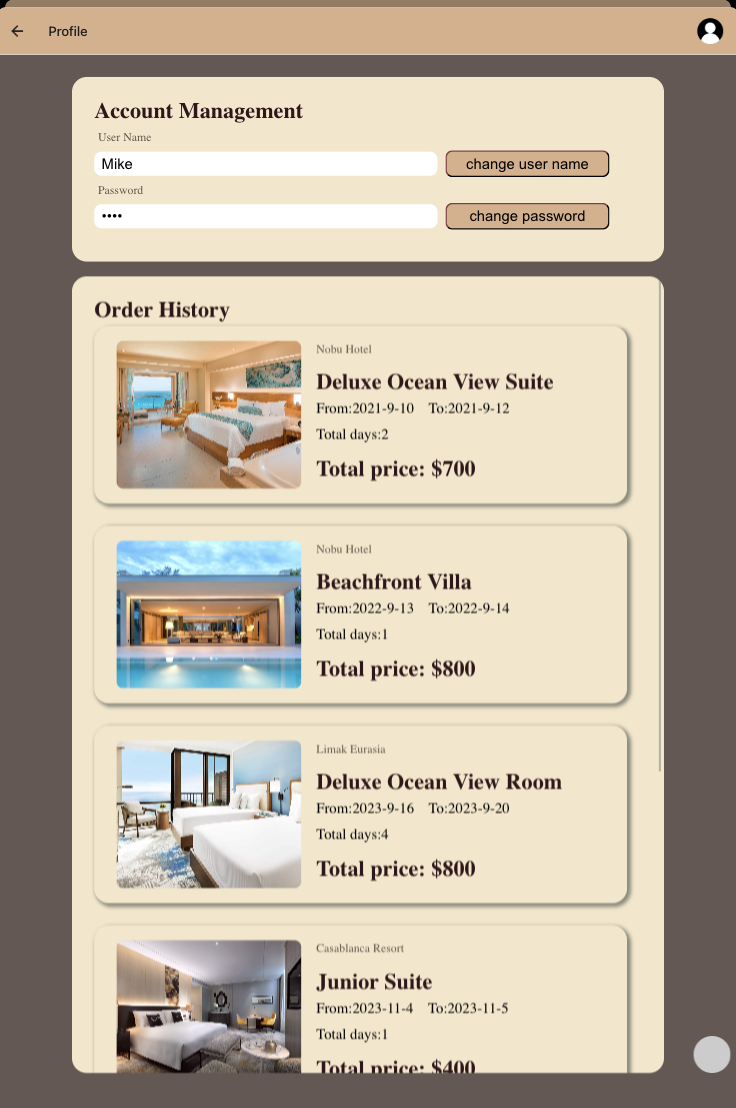
User can also modify their profile in the profile page. The booking history will also be shown in the profile page. User can click on a booking to view more details about the booking, including room information and booking information.
You can try the app with the following steps:
- Set the location and date for your trip.
- Select a hotel and choose a room from the list.
- Confirm the booking and check the booking history in the profile page.
2.2.2 Code
The UI code and state code of the hotel booking app are as follows:
- genie
    - //state code
    - Hotel.ts //DataClass, hotel information
    - Room.ts //DataClass, room information
    - Location.ts //DataClass, location of hotels
    - User.ts //DataClass, user information
    - Booking.ts //DataClass, booking details
    - Payment.ts //DataClass, payment method related information
    - DailyUsage.ts //HelperClass, daily usage of the room and only use for manage the room availability
    - sampleData.ts //data for building the app
- screens
    - //UI code
    - Home.tsx
    - Rooms.tsx
- components
    - //UI code
    - SearchForm.tsx
    - Rating.tsx //only for display the rating
    - HotelView.tsx
    - HotelListView.tsx
    - RoomItemView.tsx
    - RoomListView.tsx
    - BookView.tsx
    - BookSuccessView.tsx
    - Profile.tsx
    - OrderHistoryItem.tsx